

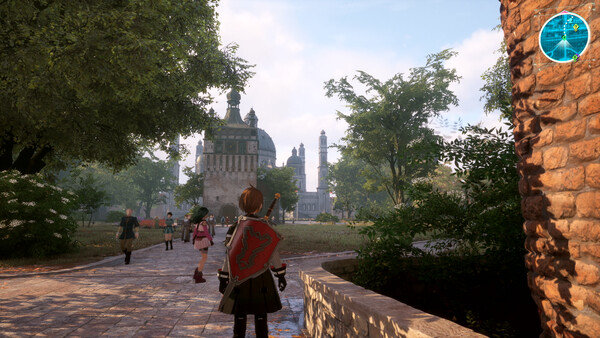
Echoes of Aincrad Sprint and Controls Guide
Direct controls guide for sprinting, controller binding checks, stamina cost, route movement, and combat repositioning without burning your whole bar.
8 min read / Route ControlKey Facts
- Current site data states that stamina fuels attacks, defense, sprinting, and movement choices.
- Current site data states that empty stamina leaves the player vulnerable.
- Current site data links route safety to Safety Areas, field movement, partner pressure, and stamina recovery windows.
- The exact default sprint key or controller button is not confirmed in the current Project2 source package.
- Control binding should be checked in the current build before treating any keyboard or controller input as final.
Fast answer: sprint by using the bound Sprint / Run input while moving. If sprint does not trigger, open the Controls or controller layout menu and confirm the binding first. The current source package confirms that sprinting uses stamina, but it does not confirm one permanent default key or controller button for every build.
Sprint controls
How to sprint
The reliable method is menu-first: open the current Controls screen, find Sprint, Run, or the equivalent movement action, then bind it somewhere you can hold while steering and dodging. On keyboard, players commonly expect a Shift-style input; on controller, players commonly check left-stick press or a shoulder/face-button layout. Do not assume either is final until your build shows it.
- Open Settings or Options.
- Go to Controls, Keyboard, or Controller layout.
- Find Sprint, Run, Dash, or movement-speed action.
- Bind it to an input you can hold while moving the camera.
- Test it in town or a safe field route before combat.
Controller setup
If a controller is detected but sprint does not work, isolate the problem. Check whether the game is reading the controller directly or through Steam Input. Then verify the action binding, not only the stick movement. A controller can move the character correctly while leaving sprint unbound or mapped to a button that conflicts with lock-on, dodge, partner command, or item use.
| Problem | Likely cause | Fix order |
|---|---|---|
| Move works, sprint does not | Sprint action unbound or conflict | Check Controls, then Steam Input layout |
| Sprint triggers but stops quickly | Stamina drain or scene limit | Watch stamina, test in a safe area |
| Controller layout feels wrong | Wrong template or remap | Reset layout, then bind sprint manually |
| Only fails in combat | Lock-on, guard, dodge, or stamina pressure | Retest outside combat, then compare |
Movement and combat context
When sprint matters
Sprint matters most between decisions: reaching a Safety Area, crossing a field route, leaving a bad pull, repositioning before a boss action, or returning to town before supplies collapse. It is not free speed. Current site data ties sprint and movement choices to stamina, and stamina also fuels attacks, guard, parry, dodge, and defensive recovery.
- Sprint between enemy packs, not through every unknown pack.
- Slow down near chest clusters, Arks, blockers, and unrevealed POIs.
- Stop sprinting before a boss room so stamina recovers before commitment.
- Use activated Safety Areas as route anchors.
Combat movement
Combat movement is not only sprinting. Sprint gets you into or out of position; dodge protects a specific incoming hit; guard or parry solves pressure if your weapon supports it; partner commands can buy the stamina recovery window you need. If you hold sprint until the bar is low and then start a combo, you have already created the failure.
Build the habit around stamina checkpoints:
- Enter the fight with enough stamina for one escape.
- Use sprint for spacing, then release it before attacking.
- Let partners take pressure when stamina is low.
- Save Sword Skills for real openings, not panic movement.
- Back out before the bar empties completely.
Why sprint is not working
Most sprint failures are not one bug. They are either binding, stamina, scene restriction, controller layout, or player-state issues. Work in this order before reinstalling.
- Check the Sprint / Run binding in the current Controls menu.
- Test the input in town or a non-combat field route.
- Watch stamina while holding the input.
- Disable controller remaps or overlays for one controlled test.
- Confirm whether the current scene allows sprinting.
- If movement still fails, verify game files and restart.
FAQ
How do you sprint in Echoes of Aincrad?
Use the bound Sprint / Run input while moving. Because the current source package does not confirm one universal default key, check your Controls menu before treating any keyboard or controller button as final.
Why is sprint not working?
Check binding, stamina, controller layout, scene restrictions, and whether another action is overriding movement. Test outside combat before changing your full controller profile.
Should I sprint in combat?
Use sprint for repositioning, not constant movement. Keep enough stamina for dodge, guard, parry, and recovery. Empty stamina is how a route turns into a bad death.